 ComCheck
v1.12.1
ComCheck
v1.12.1
ComCheck
v1.12.1
ComCheck
v1.12.1
Ultra-light · no popups · no ads · no autostart · 100% free. Eight full hardware modules, a four-axis hardware audit (value / life / performance / authenticity), a 451-model GPU spec database for fake-card detection, a hardware AI deploy score (LLM / image / speech / video / multimodal), and PDF / HTML / Markdown overview export — see exactly what your machine is, whether it's genuine, and what AI it can run.
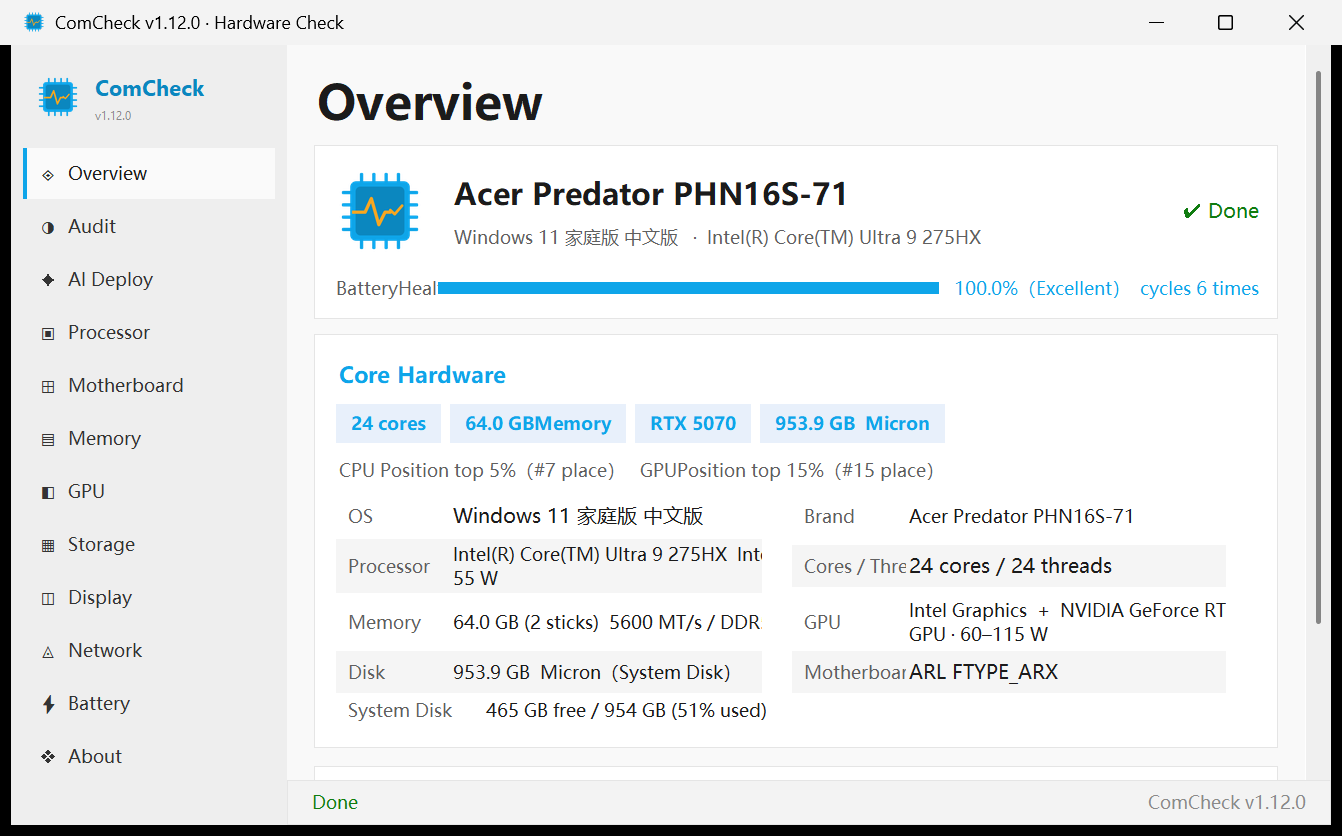
Every single one is a shipped feature, not a talking point.
Installer + portable builds. Copy to a USB stick and run. Uninstaller auto-cleans the app directory.
No popups, no bloatware family, no account login. Not a single ad slot in the UI.
Writes no Run key and no scheduled task by default; never pops up, stays quiet in the background.
No paywall, no crippled features, no trial countdown. Everything is unlocked from the start.
Pure WMI/CIM + smartctl passthrough + optional nvidia-smi. Installs no driver onto your system.
Data that can't be read is marked "unreachable" — never fabricated numbers to fool you.
Anonymous statistics are on by default (version / OS / hardware summary / tier + an irreversible anonymous ID) and can be turned off anytime. No serial, MAC, or username is collected; everything else stays local.
Core modules are Cython-compiled to binary; reverse-engineering audit shows zero source leakage.
More than just "reading specs" — it gives every machine a light verdict and risk findings.
Per-component green/yellow/red lights, with a findings list of risks and watch-items.
Value / Life / Performance / Authenticity, one light per component, itemized in a findings list.
451-model GPU spec database: device-ID matching + VRAM spec matching. Fake cards light up red.
Mobile / off-database / insufficient evidence → yellow or gray "manual check advised", never a false conviction.
Six modalities, tier-by-tier lights, bottleneck diagnosis and upgrade advice. Score = CPU / GPU / NPU compute + memory / disk deployment conditions.
3B–70B local inference tiers: VRAM GPU acceleration / AVX2 CPU slow-run / insufficient resources.
SD 1.5 / SDXL / Flux tier-by-tier, ComfyUI readiness at a glance.
Whisper recognition / CosyVoice synthesis / SoVITS cloning training, thresholds labeled per tier.
Wan / CogVideoX / HunyuanVideo — consumer hardware mostly lands the light tier; we tell you honestly.
Qwen-VL / MiniCPM-V / Moondream readiness for image QA and chart OCR.
Each modality tells you "VRAM short by X GB to unlock Y" plus upgrade tips; NPU / CUDA / AVX2 all checked, with Q4 / Q8 quantization toggle and speed labels.
Three screenshots below are real v1.12.1 captures, not mockups.
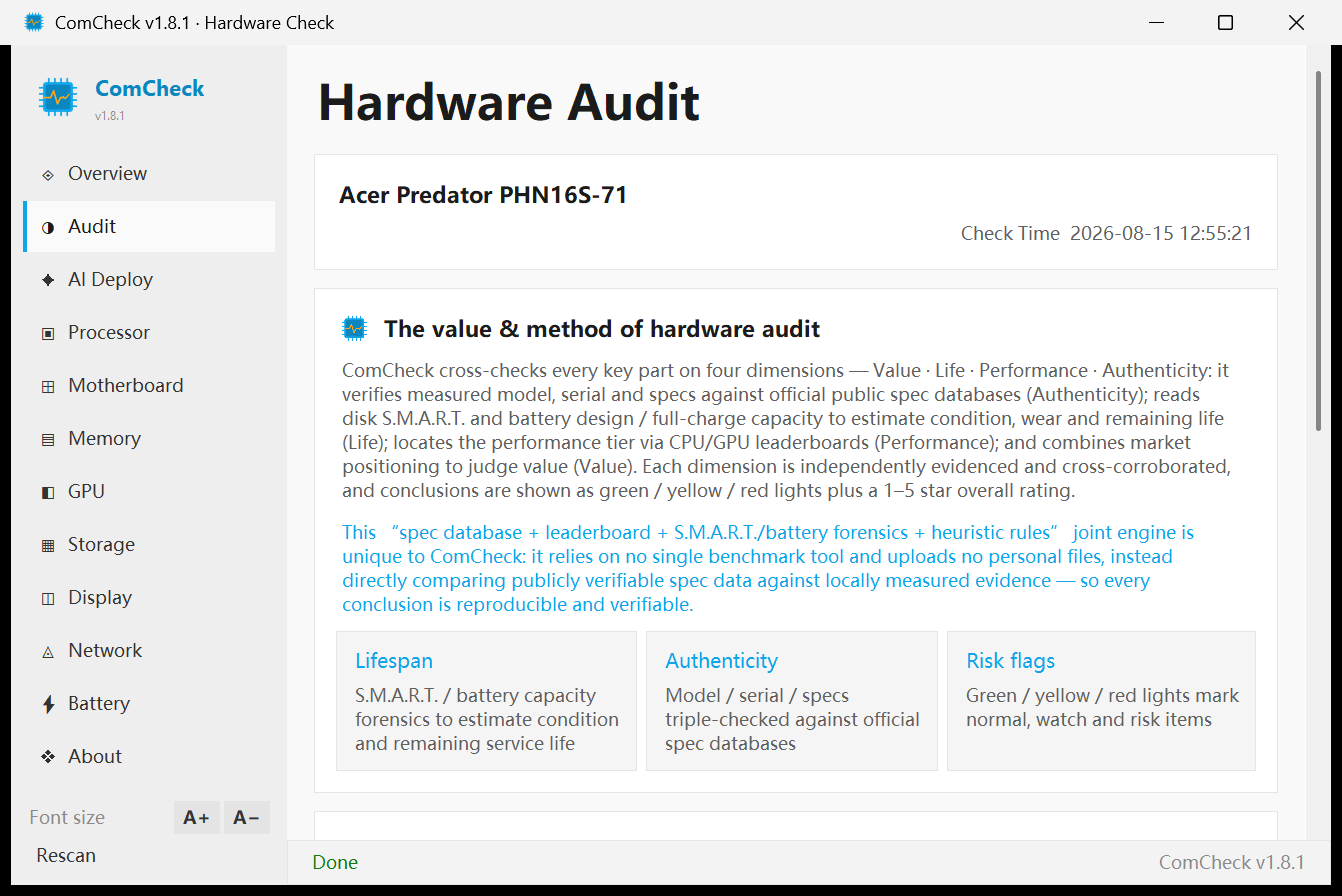
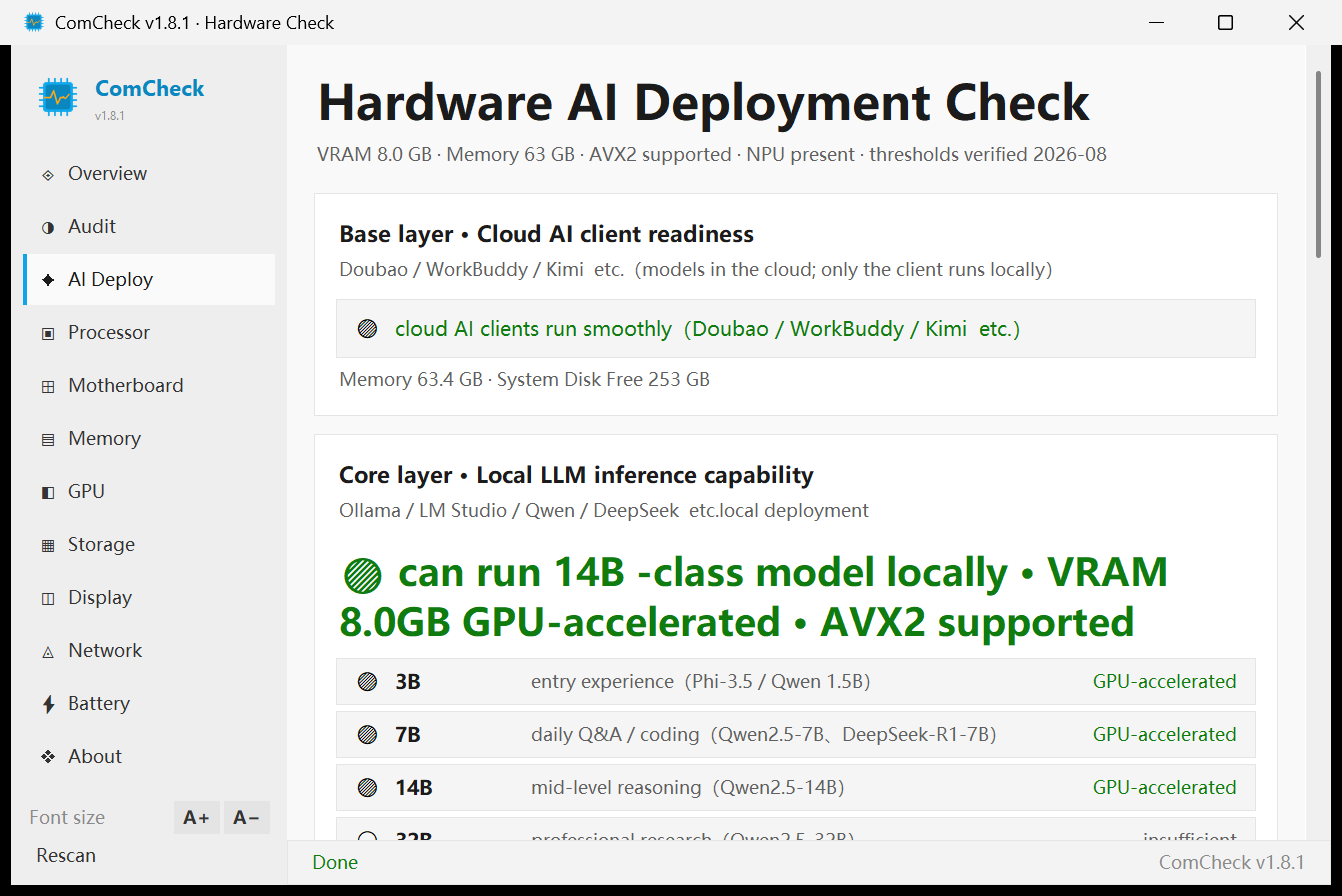
Covers the full hardware muscle of a machine; take the report with you.
Formatted report, ready to print or archive
Styled web version, opens in any browser
Plain-text markup, easy to edit and archive
No trash-talking competitors, just the facts.
| Dimension | ComCheck v1.12.1 | LuDaShi | TuBa Toolbox | CPU-Z / HWiNFO | AIDA64 |
|---|---|---|---|---|---|
| Price | 100% free · no paywall | Free + ads | Free | Free / paid | Paid (trial limited) |
| Size | ≈26 MB | 211 MB | ~200 MB (suite) | 4–5 MB | 100+ MB |
| Ads / bundle / popups | 0 · no popups | Lots of ads + popups | 0 (open-source suite) | 0 | 0 |
| Autostart by default | No (no Run key / scheduled task) | Yes | Some tools do | No | Optional |
| Driver install required | No | Yes | Some tools do | No | No |
| Fake GPU detection | 451-model spec db, 3-layer check | No | Manual experience | No | No |
| Hardware audit | Four-axis · Yes | Benchmark-oriented | No | No | No |
| Hardware AI deploy score | 6 modalities + bottleneck advice | No | No | No | No |
| Report export | PDF / HTML / Markdown | Partial | No | TXT | Partial |
| Memory chip vendor detection | Yes | Partial | Yes | No | Yes |
| Unreachable data labeling | Honest "unreachable" label | May show blank | — | Blank | Blank |
Hardware checking isn't magic. We show everything readable; we never invent what isn't.
Windows 10 / 11 · 64-bit · installer ≈26 MB · 100% free · no autostart
v1.12.1: fix install failure (antivirus blocked public-desktop shortcut causing 0x80070005 access denied, now targets the user desktop), plus refined overview layout (smaller brand / AI-score fonts, merged AI capability + scenario cards, removed upgrade advice, window height tuned to show the export card), CPU & GPU design power (TDP) display, memory & disk slot detection, auto-update on launch, Hardware Audit value-&-method intro, PDF / HTML / Markdown overview export, AI deploy score, 451-model GPU spec database. Double-click the installer to run — no driver install required.